
We may earn money or products from the companies mentioned in this post.
Affiliate disclosure: some links in this article are affiliate links. If you sign up or purchase through them, AI for Law Firms may earn a commission at no extra cost to you. We only describe features and prices published by the vendor.
Last updated: October 14, 2026. Product facts and prices come from Gavel’s own pages (gavel.io), checked on this date. Statements about competitors are Gavel’s published claims and are labeled as such. Verify them with each vendor before you buy. We have not run our own hands-on tests.
Gavel review in one paragraph: Gavel (formerly Documate) sells two products. Gavel Exec is AI contract review and drafting inside Microsoft Word and online ($160/user/month, 25 free queries to start). Gavel Workflows is no-code document automation that turns intake answers into Word and PDF documents (from $83/month, 7-day free trial according to Gavel).
Try Gavel Exec free (code AI4LAWFIRMS-EXEC5 = 5% off your first month) · Start a Gavel Workflows trial
What is Gavel?
Gavel is a legal technology company that offers AI contract review (Gavel Exec) and legal document automation (Gavel Workflows). Gavel says 2,000+ law firms and legal teams use its software. The company was previously called Documate and rebranded as Gavel in January 2023.
Gavel Exec: AI contract review in Word
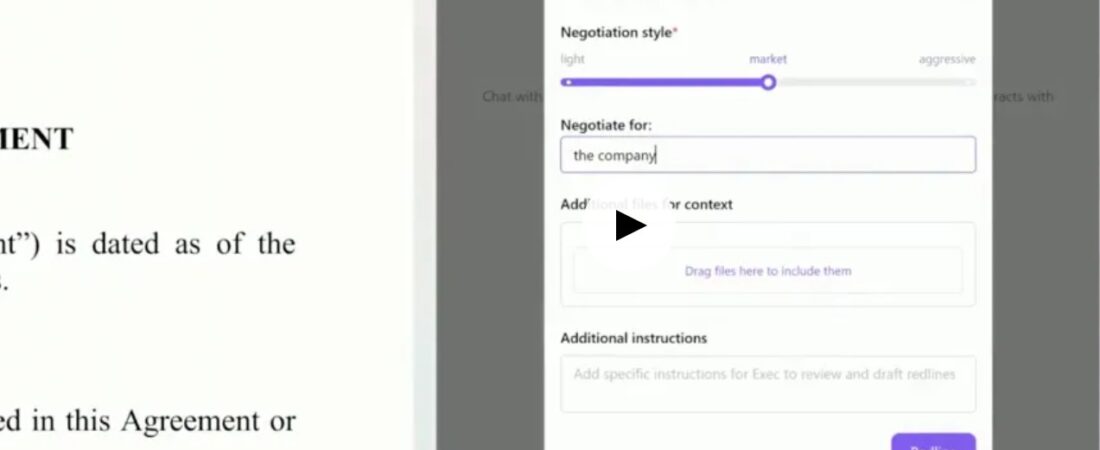
- Redlines full agreements in Word using your deal history, playbooks, and negotiation stance
- Built-in or custom playbooks, applied in one click
- Drafts clauses and contracts from scratch
- Benchmarks clause language against market data
- Flags missing terms and inconsistencies and summarizes risks and negotiation points
- Team Workspaces, Projects, and shared Playbooks
- SOC 2 Type II certified, AES-256 encryption, and Zero Data Retention commitments with AI providers (per Gavel)
Read the full Gavel Exec review.
Gavel Workflows: document automation
- Turns intake answers into finished Word documents and PDFs
- Conditional logic, calculations, and repeating items, according to Gavel
- Client-facing intake portal
- Integrations with Clio, Zapier (Standard and above), DocuSign and Stripe (Pro), and an API (Scale)
- Legal template library on Pro
Gavel pricing (October 2026)
| Product / plan | Price |
|---|---|
| Gavel Exec | $160/user/month or $1,740/user/year; 25 free queries; team pricing for 10+ seats |
| Workflows Lite | $83/month |
| Workflows Standard | $165/month (one section of gavel.io/pricing shows $210; confirm at checkout) |
| Workflows Pro | $290/month |
| Workflows Scale | Contact sales, billed annually |
Full details are in our Gavel pricing guide.
Pros and cons
| Pros | Cons |
|---|---|
| Published prices and self-serve trials for both products | Exec and Workflows are billed separately |
| Exec works inside Word, where contracts are negotiated | Exec is priced per user and includes 1,000 completions per month |
| Workflows integrates with Clio and outputs both Word and PDF | On Workflows Lite and Standard you must upgrade to Pro or Scale to add users |
| Security commitments are documented (SOC 2 Type II, Zero Data Retention) | Neither product is a practice management system |
Gavel Workflows plans compared: the limits that matter
The monthly price is only half of the Workflows decision. The plan limits decide whether a plan actually fits your volume. The figures below come from the comparison table on gavel.io/pricing (checked October 2026):
| Limit | Lite | Standard | Pro | Scale |
|---|---|---|---|---|
| Builder/Admin licenses | 1 | 1 | 2 | Custom per-seat discounts |
| Organizational users | None listed | 3 | 6 | Custom |
| Workflows | 10 | 25 | 50 | Custom |
| Sessions per month | 100 | 300 | 600 | Custom |
| Emails per month | 1,000 | 2,500 | 6,000 | Unlimited (per Gavel) |
| Storage | 500 GB | 750 GB | 1 TB | Unlimited (per Gavel) |
The same page has a second, older-style card layout that describes Standard with 50 document templates and Pro with “2 Builder + 3 Org User Seats” and 100 templates. Gavel’s pages don’t fully agree with each other, so take the table above as a guide and confirm your limits during the trial.
Adding people: Gavel’s pricing FAQ says Lite and Standard customers must upgrade to Pro or Scale before adding Builders or Organizational Users. On Pro and Scale, extra Builders cost $50/month and extra Organizational Users cost $35/month. Gavel says volume, annual and multi-year discounts are available.
Paying: Monthly plans are paid by credit card. Annual subscriptions can also be paid by ACH, wire or check, according to Gavel.
Help with building: Gavel runs a “Hire an Automator” program. You send your documents and get a quote from Gavel-vetted automators, who range from attorneys and paralegals offering strategy to lower-cost “executors” who build exactly what you specify. Gavel doesn’t publish prices for this, so get a quote before you count it in your budget.
Gavel Exec: what the free start actually includes
Gavel’s Exec page explains how the trial works. Each invited user gets 25 free queries, no credit card is needed, and during the trial teams can share a Workspace with shared Projects and Playbooks. Paid seats include 1,000 completions per month. Projects keep matter instructions and referenced files together. Workspaces let a team share Projects and Playbooks, with granular access controls.
On security, Gavel lists SOC 2 Type II certification, AES-256 encryption, SOC 2/HIPAA-compliant databases, Zero Data Retention agreements with its AI providers, support for GDPR and CCPA requirements, and regular independent vulnerability testing. These are Gavel’s own statements. If your firm runs vendor due diligence, ask for the SOC 2 report under NDA rather than relying on the marketing page.
How to get a fair test out of a Gavel trial
Twenty-five queries and a 7-day Workflows trial (per Gavel) don’t last long, so plan your test before you sign up:
- For Exec, use a contract you have already negotiated. Run Gavel’s redline on the original counterparty draft and compare it with your final markup. You’ll see quickly whether it catches the issues you actually fought over.
- Load one real playbook. Gavel’s main claim is that it works from your standards and precedent. Testing it only with generic built-in playbooks won’t tell you much.
- For Workflows, automate one document set end to end. Pick a high-volume packet (an estate plan, an engagement letter plus intake, a lease) and build the questionnaire, the conditional logic and the Word/PDF output. Count how many sessions a typical client uses, because that’s what pushes you from Lite to Standard.
- Check the Clio connection early if you use Clio Manage. Gavel lists it from Lite upward.
Ready to test? Start Gavel Exec free (code AI4LAWFIRMS-EXEC5 for 5% off your first month) or open a Gavel Workflows trial.
What Gavel doesn’t do (and what fills the gap)
Gavel isn’t a practice management system or a front office. Many firms that automate documents still lose leads at the phone or at intake. Two tools we cover, which we haven’t tested hands-on:
- Ruby offers live virtual receptionists. Ruby’s pricing page lists 24/7 live answering, Spanish and bilingual call handling, lead qualification and intake, scheduling and payment collection, and says there are no setup or onboarding fees.
- Referent describes itself as AI-native practice management. AI agents handle intake, email filing to matters, deadline tracking and billing prep, and a lawyer approves every critical action. Referent says its first beta cohort (20 seats) closed in August 2026, so expect limited availability.
A third front-office option is Smith.ai; our Smith.ai review for law firms covers its AI and human receptionist plans and Clio integration.
Who should use Gavel?
- Transactional lawyers and in-house teams who review contracts in Word: start with Gavel Exec.
- Firms with repeatable documents (estate planning, family law, real estate, probate, corporate): start with Gavel Workflows.
Gavel FAQ
Is Documate now Gavel?
Yes. Documate announced its rebrand to Gavel in January 2023. Gavel said the new name reflected its expansion beyond document automation into intake, workflow automation, client portals, and legal products. “Gavel vs Documate” is therefore the same company, not a competitor.
How much does Gavel cost?
Gavel Exec is $160 per user per month ($1,740 per user annually). Gavel Workflows starts at $83 per month.
Does Gavel integrate with Clio?
Yes. Gavel lists a Clio integration starting on the Workflows Lite plan.
Is there a Gavel discount code?
Code AI4LAWFIRMS-EXEC5 gives 5% off your first month of Gavel Exec when you sign up through our link.
What are the alternatives?
See our Gavel Exec vs Spellbook comparison.