
We may earn money or products from the companies mentioned in this post.
A useful medical chronology does more than put treatment in date order. It lets another reviewer find the source page, understand which date is being used, see whether the same record appears elsewhere, and tell the difference between what the record says and what the reviewer thinks it means.
Use the spreadsheet template
1. Copy the blank template. 2. Open Excel or Google Sheets. 3. Select cell A1 and paste.
The headings will go into separate columns. Replace the bracketed prompts with your information, then add a row for each record or testimony range.
Blank template
See and copy a fictional example
This example is for practice. It contains no real client information. Copy it into a separate sheet.
You can also select the text in either box and copy it using Ctrl+C on Windows or Command+C on Mac. If everything pastes into one column, choose tab as the separator in your spreadsheet’s split-text or Text to Columns tool.
The columns that prevent the most common chronology problems
The template uses separate fields because several numbers and dates can refer to different things. Combining them into one cell may save a few seconds during entry and cost much more time during review.
| Column | What belongs there | Why it matters |
|---|---|---|
| Service Date | The date care, testing, or another medical event occurred | This usually controls chronological sorting. |
| Entry/Document Date | The date the note, report, addendum, or bill was created or signed | A report can be signed days after the service date. |
| Provider/Facility | The source organization and, when useful, the named clinician | It helps reviewers filter a long history by provider. |
| Record Type | Visit note, operative report, imaging report, bill, therapy note, or another precise label | It separates clinical events from administrative records. |
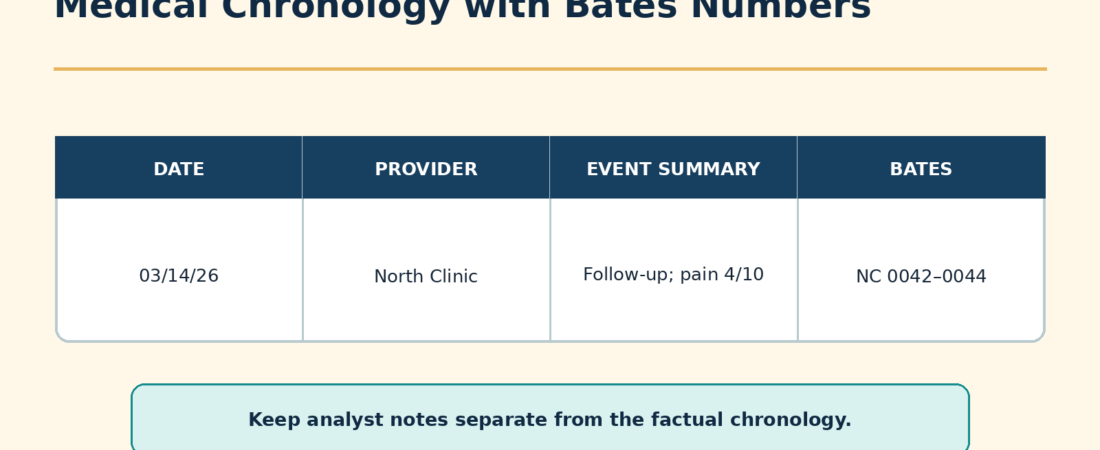
| Factual Record Summary | A neutral description of what appears in the record | It preserves the line between extraction and interpretation. |
| Source PDF Page | The page number shown by the PDF viewer | Useful when the production has no Bates stamp or the stamp is unreadable. |
| Printed Page | A page number printed within the underlying record, if any | Printed pagination may restart inside separate reports. |
| Bates Start/End | The exact production identifiers supporting the entry | Bates references remain stable when the PDF is reorganized. |
| Duplicate/Related Pages | Every additional copy or overlapping source page | It prevents double-counting while preserving provenance. |
| Missing or Unclear Information | What the production does not show or what cannot be read | Missing information should be marked, never guessed. |
| Analysis/Case Note | Authorized reviewer analysis in a visibly separate field | Readers can distinguish the record from litigation work product. |
Service date and entry date are not interchangeable
Suppose imaging occurred on January 12 and the radiologist signed the report on January 14. Enter January 12 as the service date and January 14 as the entry or document date. Sorting on the service date places the clinical event correctly. Retaining the later date explains when the report entered the record.
If the source gives only a month, use the firm’s agreed convention and label the date as partial. Do not silently convert “January 2026” into January 1. If a date is illegible, enter “unclear” in the appropriate field and identify the source page. Never infer a service date merely because the document sits between two dated pages.
Keep three kinds of page references separate
A source can show PDF page 42 in the viewer, printed page 7 at the bottom of the report, and Bates number NHI000042. Those references are not substitutes for one another. Record each in its own column. A reviewer working from the original production may search by Bates number, while someone looking at an extracted report may rely on its printed pagination.
Adobe explains that an image-only scanned PDF needs optical character recognition before its text becomes searchable and selectable. OCR can still produce recognition errors, so names, dates, medication doses, and Bates references should be checked against the page image. For a broader document workflow, see how to use AI to summarize legal documents.
Handle duplicates without erasing the trail
Medical productions often repeat the same emergency note in a hospital chart, a specialist’s file, and a later records response. A chronology should not present those copies as three separate visits. It also should not delete all evidence that the copies existed.
- Create one chronology row for the underlying event.
- Select the clearest or most complete copy as the primary source.
- List the Bates ranges for matching or overlapping copies in the duplicate field.
- Note any material difference. A later copy may include a signature, addendum, or page absent from the first.
- Keep the source files intact under the firm’s retention and production procedures.
This approach prevents inflated event counts while allowing another reviewer to reconstruct the decision. The same principle matters when using an AI medical chronology workflow: duplicate handling and source citations should be evaluated together.
Separate the record summary from analysis
A factual summary might say: “The note lists right wrist pain after a reported fall and documents an imaging order.” An analysis note might say: “Confirm whether the imaging report was requested.” The first describes the source. The second directs future work. Keeping them in separate columns reduces the risk that an inference will later be repeated as a medical fact.
Do not diagnose, resolve conflicting accounts, or supply a missing causal connection in the factual field. When a record uses uncertain language, preserve that uncertainty. When handwriting cannot be read reliably, identify the unreadable portion rather than completing it from context.
A repeatable review process
- Preserve the source set. Work from copies and keep the received files unchanged.
- Inventory the production. Record providers, date spans, Bates ranges, and obvious gaps.
- Make scans searchable. Run OCR where appropriate and review recognition errors.
- Enter events. Use the service date for sorting and retain the document date separately.
- Resolve duplicate groups. Choose a primary copy and list every related source range.
- Check citations. Open each cited page and confirm that it supports the row.
- Review gaps. Turn missing reports, incomplete date ranges, and referenced-but-absent records into a request list.
- Lock the reviewed version. Record the reviewer and review date before sharing it.
Fictional example: original and supplemental packets
| Service date | Entry date | Record summary | Source | Separate note |
|---|---|---|---|---|
| 2026-01-12 | 2026-01-12 | Fictional urgent-care note lists wrist pain and an imaging order. | PDF 14; printed 3; NHC000014-NHC000016; duplicate NHC000088-NHC000090 | Imaging report absent from the initial packet; a supplemental report is logged below. |
| 2026-01-12 | 2026-01-14 | Fictional radiology report is dated January 14 for imaging performed January 12. | PDF 42; printed 1; NHI000042-NHI000043 | Referring provider is unclear in the scan. |
Everything in this example is invented for training. It is not testimony, a medical record, or a description of an actual matter.
Final quality check
- Does every material entry point to a source page?
- Are service dates separate from signing, filing, and billing dates?
- Are PDF pages, printed pages, and Bates numbers labeled correctly?
- Are duplicates consolidated without losing their source references?
- Are missing or unreadable facts marked rather than inferred?
- Can a reader distinguish the factual summary from analysis?
- Has a human reviewer opened and checked every cited page?
These are suggested working practices, not a universal court rule. Follow the governing order, local rules, client instructions, and the firm’s document-handling procedures. Teams developing broader workflows may also find the paralegal AI guide useful.
Sources checked October 4, 2026.