
We may earn money or products from the companies mentioned in this post.
Affiliate disclosure: some links in this article are affiliate links. If you sign up or purchase through them, AI for Law Firms may earn a commission at no extra cost to you. We only describe features and prices published by the vendor.
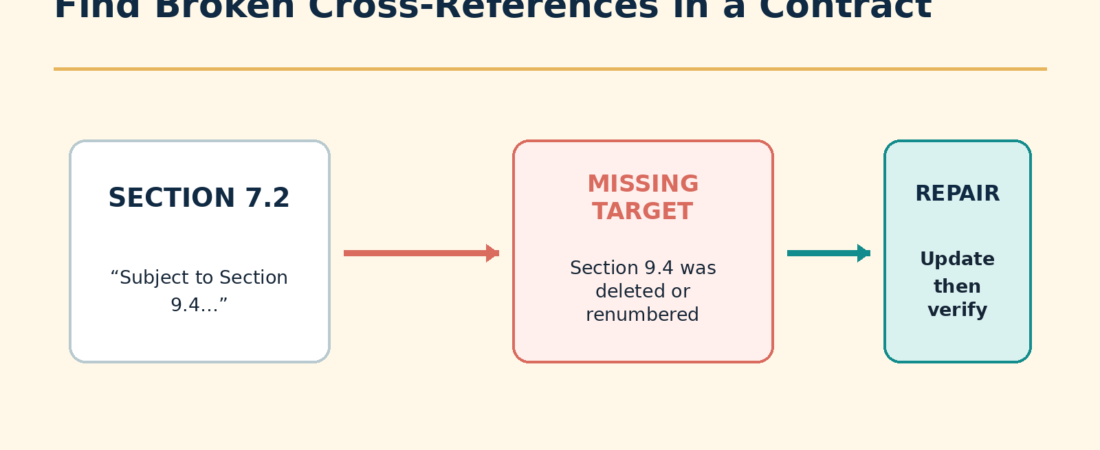
To find broken cross-references in a contract after redlining, work from a copy, update fields in every relevant document area, search for every internal-reference pattern, and verify that each cited section, exhibit, schedule, and definition still exists and still contains the intended subject. A reference can be numerically valid and still be wrong, so the audit must test both the target number and the target meaning.
Redlining creates this problem when a clause is deleted, a new section shifts later numbering, an exhibit is renamed, or a typed reference fails to update with Word’s automatic fields. Microsoft explains that Word cross-references are inserted as fields and can be updated. Thomson Reuters Drafting Assistant documentation also treats cross-references, defined terms, dates, parties, and monetary values as document references that can be marked and reviewed.
Why contract cross-references break
- A referenced section was deleted.
- A section was moved or renumbered.
- The reference was typed manually rather than inserted as a Word cross-reference field.
- A Word field was not updated before the document was circulated.
- Track Changes preserved deleted numbering during review, making the visible reference appear correct temporarily.
- An exhibit, annex, or schedule changed names.
- The target exists but now covers a different subject.
- A definition points to a provision that no longer defines the term.
The last two errors are easy to miss. For example, “subject to Section 8.3” is not safe merely because Section 8.3 exists. If a new clause pushed the original topic to Section 8.4, the reference now leads to the wrong rule.
Step 1: Preserve the draft and create an audit copy
Save a separate copy for quality control. Do not accept all tracked changes in the only working draft. If the review requires a clean reading copy, create it as another file and retain the full redline. Record the filenames used for the audit.
If the document has unresolved revisions, audit both the redline view and the intended clean result. A reference may be valid if a proposed clause is accepted and broken if that proposal is rejected.
Cross-reference problems are one kind of inconsistency. For a broader pass, Gavel Exec says it spots gaps, inconsistencies, and misalignment across an agreement inside Word; our Gavel Exec review covers what it does and does not do (code AI4LAWFIRMS-EXEC5 takes 5% off your first month).
Step 2: Update automatic Word fields
In Word for Windows, select the document body with Ctrl+A, then press F9 to update selected fields. Headers, footers, text boxes, and some other document areas may require separate selection and updating. On Mac, use the field’s Update Field command from its context menu where available. Use your installed Word version’s field-update instructions because keyboard shortcuts and menus vary.
Microsoft’s cross-reference instructions explain that cross-references are inserted as fields and can be updated. Updating fields can repair a reference that was built correctly. It will not repair typed text or decide whether the target still makes sense.
Step 3: Build a reference inventory
Search the contract for common reference signals. The exact list depends on the firm’s drafting style.
Section,Sections,clause, andparagraphabove,below,foregoing, andfollowingExhibit,Schedule,Annex, andAppendixsubject to,pursuant to,except as provided in, andas defined in- Table-of-contents entries and page references
- References inside definitions, footnotes, tables, and schedules
Put each result in a simple audit table. For long contracts, a structured list prevents the reviewer from repeatedly checking the same reference while missing another.
| Source location | Reference text | Target exists? | Subject matches? | Field or typed? | Action |
|---|---|---|---|---|---|
| 4.2 | Section 7.3 | Yes | No | Typed | Confirm intended target |
| 6.1 | Exhibit B | No | No | Typed | Check renamed schedule |
| 9.4 | Section 9.2 | Yes | Yes | Field | No repair needed |
Step 4: Test the number and the meaning
For each reference, navigate to the target and answer five questions:
- Does the cited target exist?
- Does the target still address the subject implied by the source sentence?
- Does the source require one provision or a range of provisions?
- Do any exceptions, definitions, or schedules linked from the target also need review?
- Will accepting or rejecting an unresolved revision change the answer?
Do not automatically replace a broken number with the nearest plausible number. That choice can change how obligations, exceptions, deadlines, or remedies connect. Record the issue and route uncertain repairs to the responsible attorney or drafter.
A fictional broken-reference audit
In a fictional services agreement, Section 5.3 says invoices are disputed “under Section 6.4.” During negotiation, a new tax clause was inserted at 6.2. The old dispute process moved from 6.4 to 6.5, but the typed reference stayed at 6.4. Section 6.4 still exists and now covers late fees.
A number-only checker may treat 6.4 as valid. A subject check catches the error because an invoice-dispute sentence now points to a late-fee provision. The audit record should show the source sentence, current target, apparent intended target, and reviewer decision.
Step 5: Repair carefully
- Make the repair in a working draft with Track Changes active when the matter’s process requires visible revisions.
- Prefer Word’s cross-reference feature for references that should update with numbered headings, bookmarks, figures, or tables.
- Do not convert a substantive drafting question into a silent clerical correction.
- Update fields again after repairs.
- Repeat the search inventory and inspect the table of contents.
- Generate a fresh comparison against the pre-repair draft to confirm only intended corrections were made.
Microsoft distinguishes comparison from combining revisions. Use Compare to identify differences between two versions. Use Combine when consolidating revisions from multiple reviewed copies. Do not combine files merely to check whether a reference changed.
Where AI can assist without becoming the only checker
An AI system can help create a candidate inventory if it returns exact source text and locations. A defensible prompt is:
List every internal cross-reference in this contract. For each item, quote the complete source sentence, identify the cited target, state whether that target appears in the supplied document, summarize the target’s subject in one sentence, and flag any apparent subject mismatch. Do not propose replacement language. Mark uncertain results for human review.
Verify the output against the document. Models can miss references in tables, headers, footnotes, images, or unusual numbering, and they can infer a target that the contract does not actually identify. An AI inventory supplements Word fields, manual searches, comparison, and attorney review.
Final cross-reference QA checklist
- All document fields were updated in every relevant story or document area.
- Typed and automatic references were both reviewed.
- Every cited section, exhibit, schedule, annex, and appendix exists.
- Each target still covers the intended subject.
- Definitions that point to other clauses were checked.
- Unresolved tracked changes were considered.
- The table of contents and heading numbering were refreshed.
- A final comparison confirmed the repair set.
Cross-reference checking fits naturally after the substantive redline and before execution. Pair it with a defined-term and playbook review described in playbook-driven redlining, and use AI redlining in Microsoft Word for the wider document workflow.
Checked October 4, 2026. Word commands and keyboard shortcuts can vary by edition, update channel, and keyboard settings.
Sources and further instructions
- Microsoft documents creating cross-references as fields and updating cross-reference fields.
- Microsoft: update Word fields
- Thomson Reuters: reviewing document references
- Microsoft: compare and combine on Word for Mac
If you are evaluating software for the broader contract review process, compare the workflow requirements in our Gavel Exec review and Gavel Exec vs. Spellbook comparison. Check a vendor’s current feature documentation for the particular file types and checks your firm needs.