
We may earn money or products from the companies mentioned in this post.
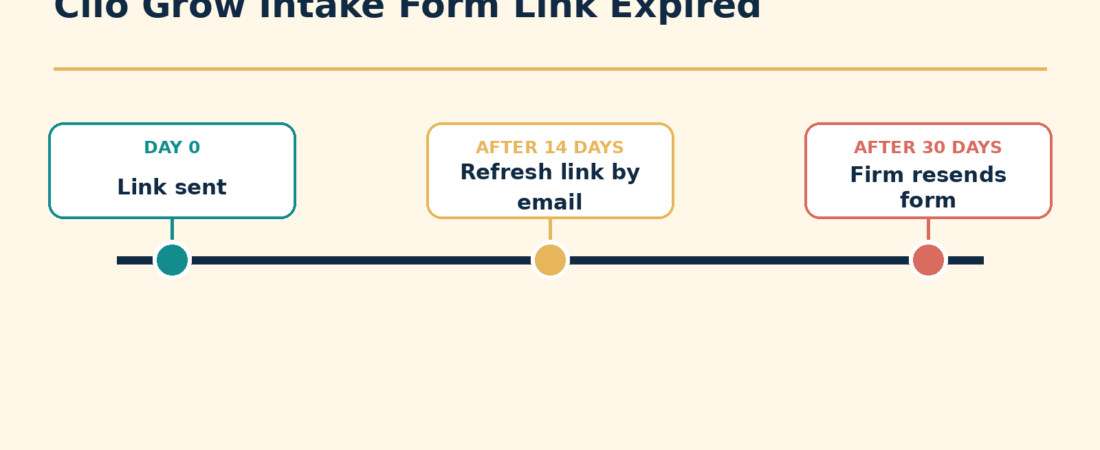
If a Clio Grow intake form link has expired, first determine how old it is. Clio says the original link is valid for 14 days. If the client still has the original email and fewer than 30 days have passed, clicking the expired link can trigger an email with a refreshed link. After 30 days, the link is permanently expired and someone at the firm must resend the form link.
How to resend the form link from Clio Grow
- Open the matter in Clio Grow.
- Go to the matter’s Intake process section.
- Find the intake form task.
- Open the Options menu.
- Select Resend Form Link.
- Choose an email template or write a custom email message.
- Leave text delivery enabled if you also want to send the link by text, or turn it off for email-only delivery.
- Select Send form.
This sends a new usable link without requiring you to rebuild the intake form template.
Which fix applies?
| Situation | Best next step |
|---|---|
| The form was sent fewer than 14 days ago | Ask the client to use the latest message and check that the link was copied completely. |
| The link is older than 14 days but not older than 30 days | The client can click the original link and follow the emailed refresh process. The firm can also resend the link directly. |
| The link is more than 30 days old | The firm must use Resend Form Link to issue a new link. |
| The client cannot find the original email | Resend the link from the matter rather than asking the client to search indefinitely. |
| The client says the new link also fails | Confirm the new message reached the correct email address or phone number, then try the latest link in a fresh browser window. |
Example timeline
A fictional client, Morgan Reed, receives a form on September 1. The initial link is valid for 14 days. On September 20, Morgan can click the old link and receive an email containing a refreshed link because fewer than 30 days have passed. If Morgan tries the same original link on October 3, the firm needs to resend the form from the intake process.
If the resend option is missing
Make sure you are looking at the form task inside the correct matter’s intake process. A submitted form does not need a new completion link. If the form is listed under submitted forms, confirm whether the client already completed it before sending another copy.
If the task is pending but Resend Form Link still is not available, check your access level and ask a Clio administrator to inspect the matter. Clio’s documentation describes the resend option from the matter’s intake process, so checking the item, its state and your access is a practical diagnostic step, rather than a cause confirmed by Clio for this particular error.
What to verify after resending
- Confirm the form remains attached to the correct prospective client and matter.
- Confirm the recipient address and phone number are current.
- Ask the client to open the newest link, not a link from an older message thread.
- Check whether the form remains pending or moves to submitted after completion.
- If a workflow should continue after submission, confirm the next workflow step starts as expected.
You can reduce future delays by setting a due date and using reminders while the form is pending. Clio Grow lets a firm send an email or text reminder from the pending form’s Actions menu. For a more complete follow-up path, see how to set up Clio automated workflows.
If the form was already submitted and needs a correction, do not resend it as though it were incomplete. Use the administrator editing process described in how to edit a submitted Clio Grow intake form.
Source check: Clio Help Center reviewed October 4, 2026.